PrototypeAutomationWholesale and manufacturing

Order email automation shown in a prototype before a proposal was written

An Accel Automation presales prototype. September 2025 to February 2026, 4 months.
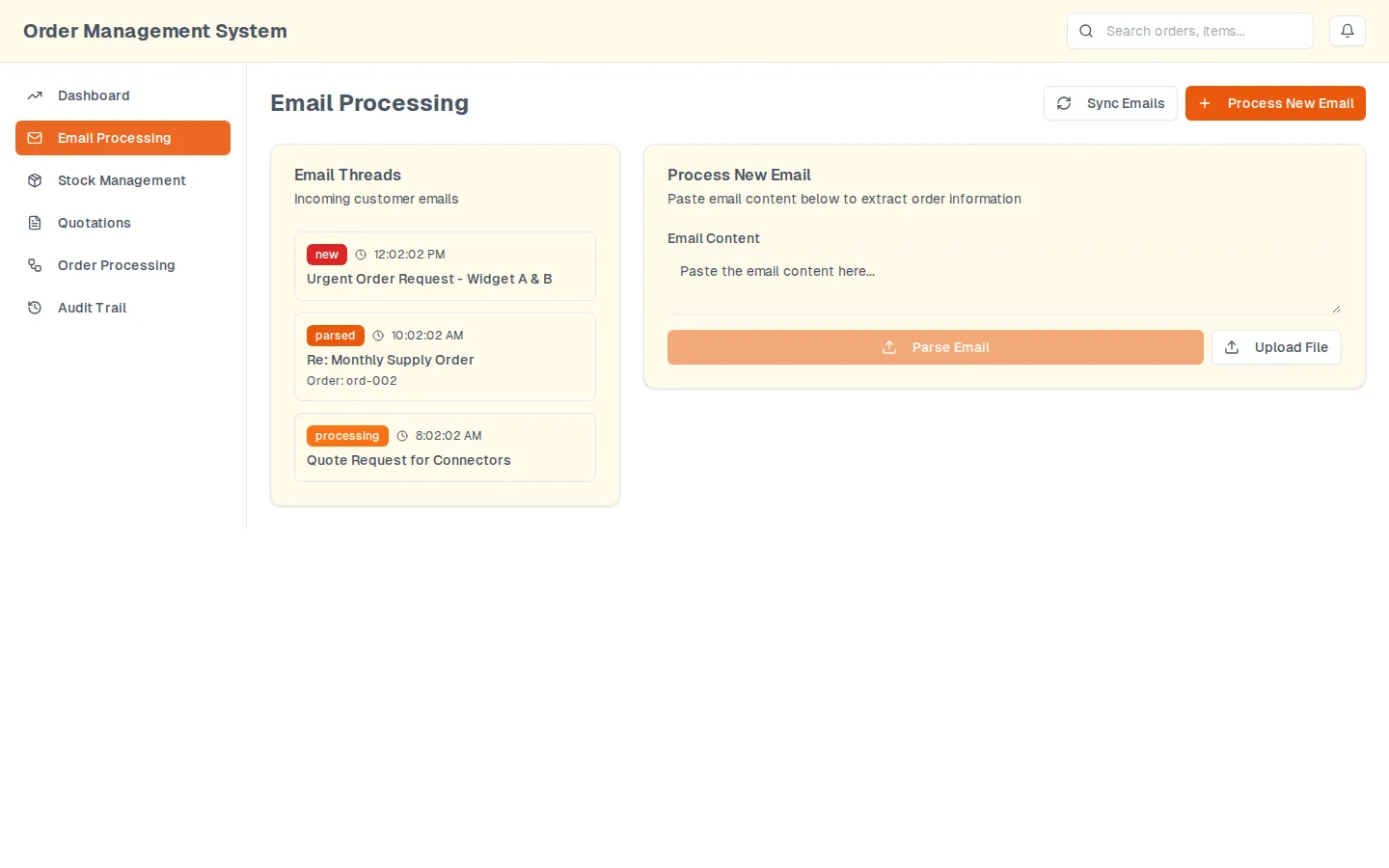
The email processing screen: a list of incoming threads on the left, each with a state and a time, and a paste box with parse and upload controls on the right
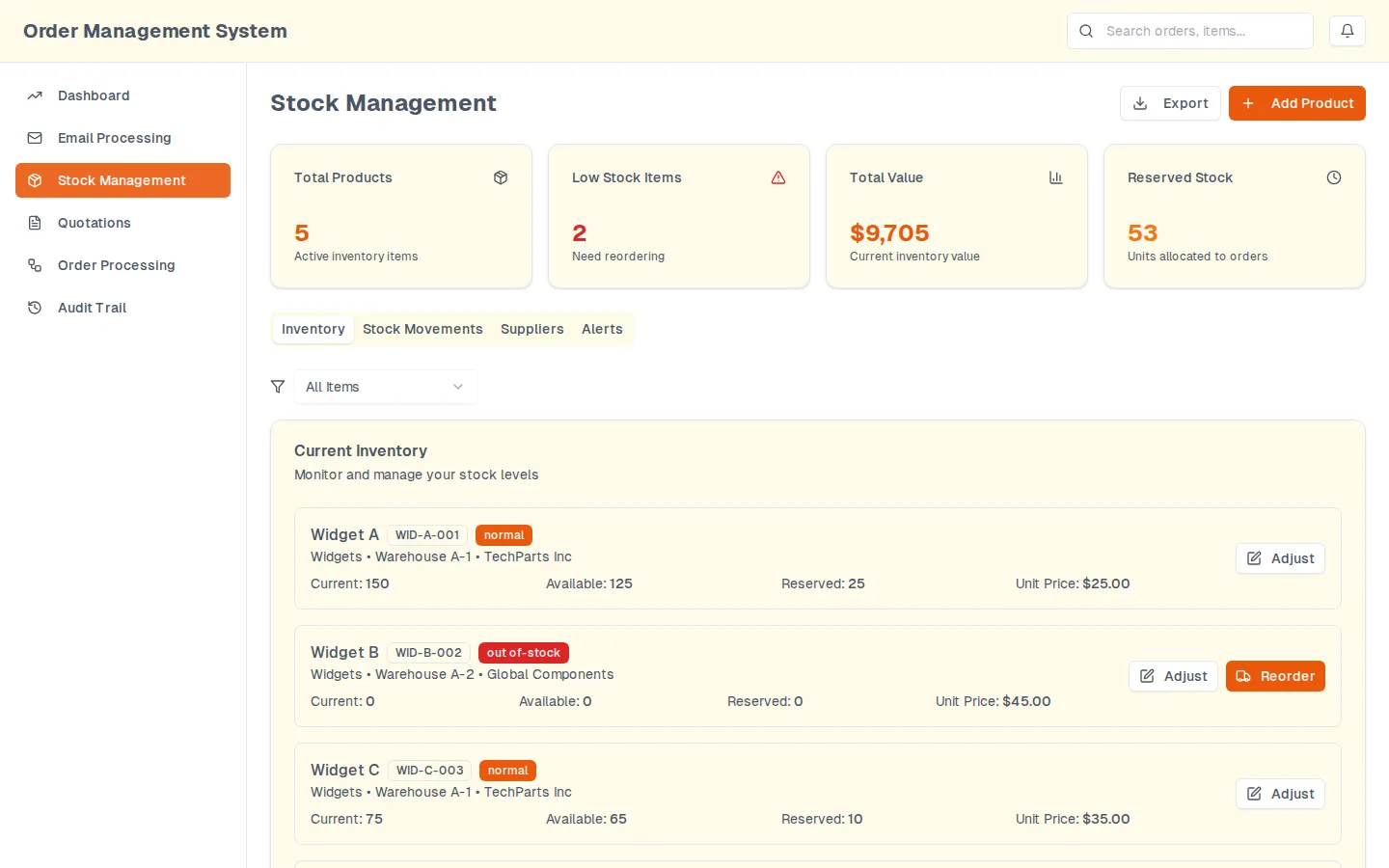
quantities per stock item: on hand, available and reserved
3
screens in the hosted demo, from the inbox to the audit trail
5

Proof

See the order email automation for yourself

1 to open.

Ask about this

Open1

Order email automation at a glance

Challenge
Wholesale order desks read each order email, check stock, retype the lines into a quotation and remember to reserve the stock.
Solution
A parser that turns an order email into lines matched to a catalog, reserves stock, drafts the quotation and logs every decision.
Result
A public sample-data demo showed the proposed workflow; a separate Accel Automation proposal estimated 242 to 305 hours, not a completed build.

Inside the order email automation

  • The email processing screen: a list of incoming threads on the left, each with a state and a time, and a paste box with parse and upload controls on the right
    Email processing. The inbox side. Threads on the left each carry a state (new, parsed, processing) and, once parsed, the order they produced. On the right is the box an operator pastes a message into, and the control that takes an attachment instead.
  • The stock screen: counter cards over a tabbed inventory list, each item showing current, available and reserved quantities with an adjust action
    Stock. What an order actually moves. Each item carries three separate quantities, on hand, available and reserved, which is the distinction a spreadsheet loses first; the tabs beside it hold movements, suppliers and the reorder alerts.
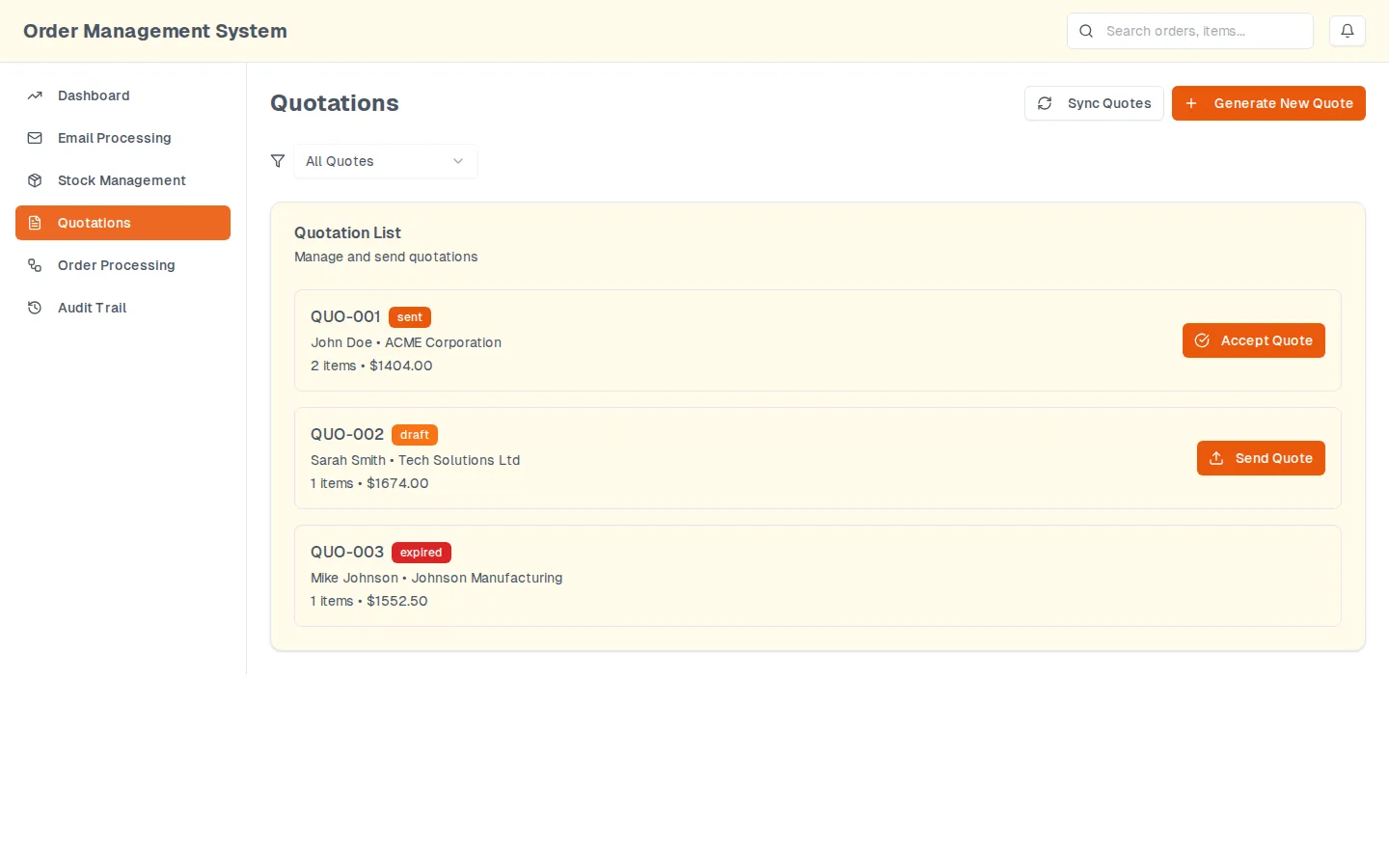
  • The quotations screen: a filterable list of quotes, each with a state and the single action that state allows
    Quotations. The quotes the parsed emails became. The state on each row decides the action offered beside it: a draft can be sent, a sent quote can be accepted, an expired one offers nothing until it is reissued.
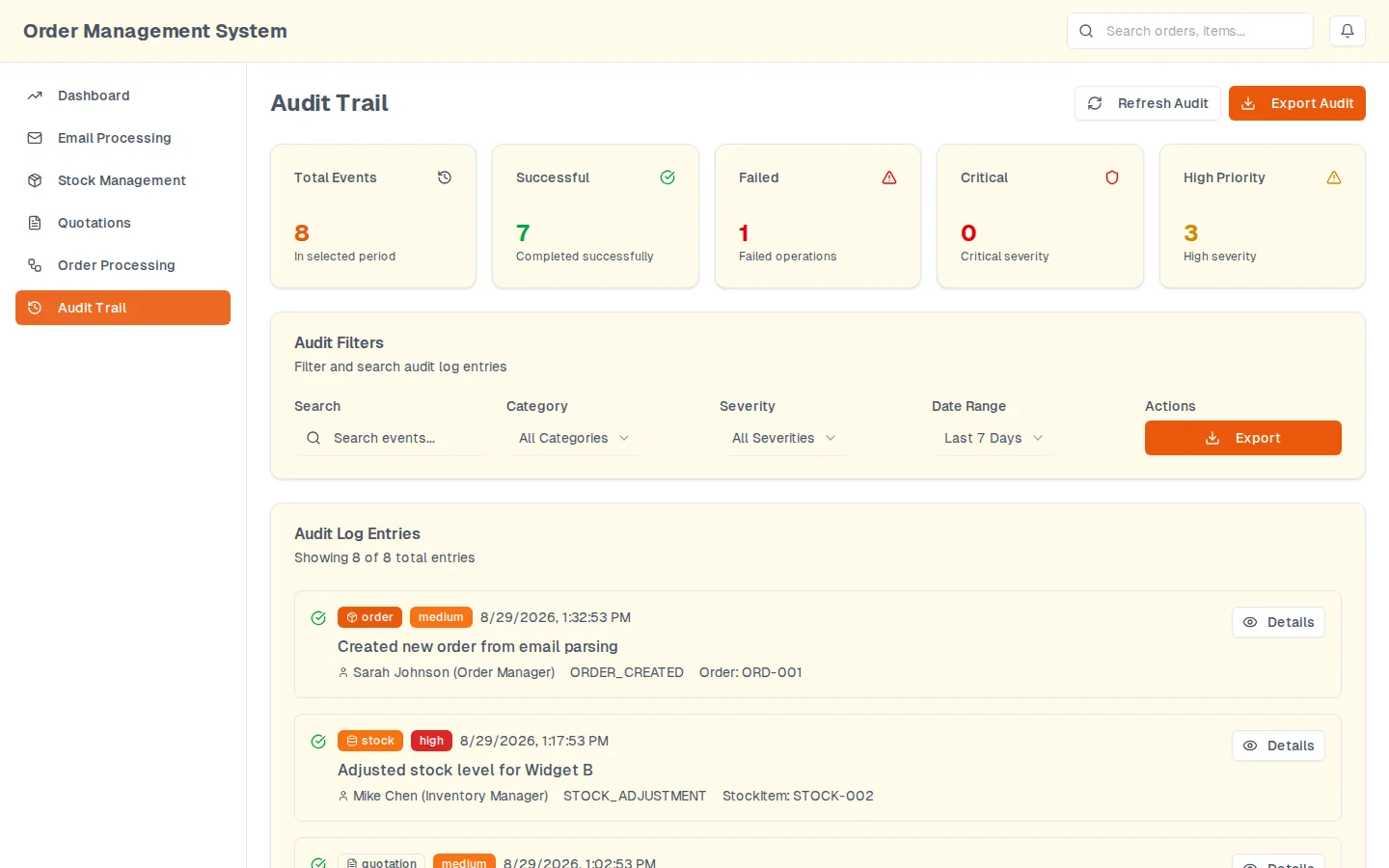
  • The audit trail screen: event counters, a filter row for search, category, severity and date range, and log entries naming the actor, the operation and the affected item
    Audit trail. Every action lands here with the actor, the operation and the item it touched, filterable by category, severity and date, and exportable. The failures are logged beside the successes rather than swallowed.
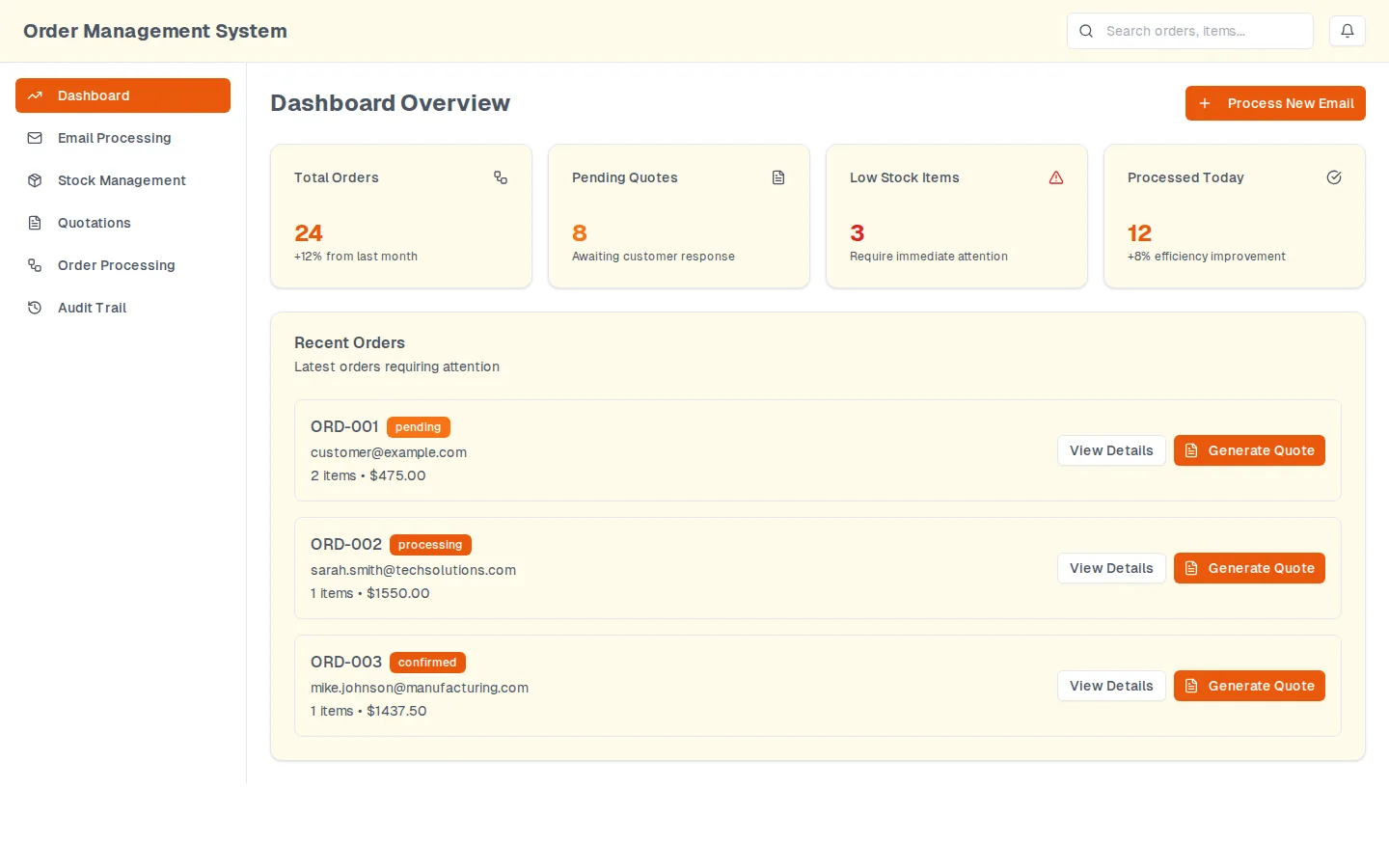
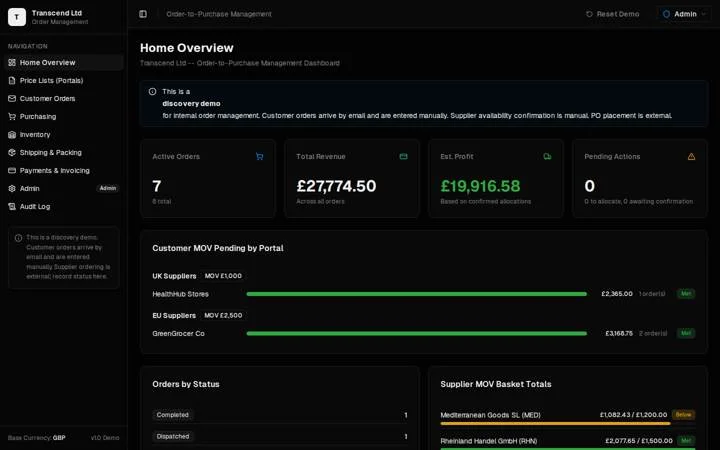
  • The prototype's home screen: four counter tiles across the top and a recent-orders list below, each order row carrying a state and two actions
    Home. The prototype's home screen; the tiles are demo interface, sample data.

Try it in your browser

Sample data.Three invented order emails from fictional customers at example.com, and a five item catalog held in this page. The parse runs in your browser and nothing is sent anywhere.

The message

Load one of the invented messages, or paste one of your own. Real text is fine: it stays in this tab.

  • A clean order. Everything the parser wants, in the shape it wants it.
  • A forwarded thread. Three quantity shapes, one item that is out of stock, one line nobody can read.
  • No order in it. A complaint, not a purchase order. Nothing should be drafted from it.

Headers are skipped. A line beginning with a dash is treated as an order line, and one that cannot be read is reported rather than guessed at.

3 lines read, 0 for a person, quotation QUO-0812 drafted

What the system would do

Sample data.

The header it read

Customer
Priya Raman
Reply address
priya.raman@example.com
Company
Harbour Row Supplies
Reference
PO-40812
Requested date
12 Sep 2025

The lines it read

Sample data.
Sample data. Order lines read from the message, with the quantity, the catalog price and what the system would do with each.
ItemQtyLineWhat happens
Widget A (WID-A-001)12$300.0012 reserved against this order
Widget C (WID-C-003)30$1,050.0030 reserved against this order
Connector kit (CNK-D-004)6$75.006 reserved against this order

Quotation subtotal $1,425.00 at catalog prices, on every line that matched an item, including the ones there is no stock for. Availability is the column beside it, not a reason to leave a line off a quote. Sample figures.

What it would write to the audit trail

  • EMAIL_PARSED on the incoming message
  • QUOTE_DRAFTED on QUO-0812, 3 lines
  • STOCK_RESERVED on WID-A-001, 12 of 125 available
  • STOCK_RESERVED on WID-C-003, 30 of 65 available
  • STOCK_RESERVED on CNK-D-004, 6 of 40 available

What a person still has to deal with

Nothing on this message. That is what a clean order looks like, and it is the minority of them.

The parser reads order lines and nothing else. An instruction written in prose, such as asking for whatever is in stock, is left for a person by design rather than acted on.

The order email automation challenge

An order arrives as an email. Somebody reads it, opens the stock system, checks what is available, retypes the lines into a quotation and remembers to reserve the stock. Wholesale order desks do this all day, and every prospect asking about automating it wanted to see the reading step working before believing it. So we built the whole desk, and left a log of what it decided.

What went into the order email automation

Workflow automationAI and LLM toolsWeb app

  1. A parser that takes the body of an order email, or an attachment, and returns a customer, a reference, a requested date and a set of lines

  2. Line matching against a product catalog, so a customer's own wording resolves to a stock item or is handed back as unmatched

  3. Stock kept as three separate quantities, on hand, available and reserved, so an order can reserve without pretending it has shipped

More of what we built4
  1. Quotations generated from the parsed lines, each with one state and one available action

  2. An audit trail that logs the parse, the quote and the reservation, including the ones that failed

  3. An in-browser version of the reading step on this page, so a visitor can paste a sample order and watch it parse

  4. A 22 February 2026 Accel Automation presales demo led to an order-management proposal estimated at 242 to 305 hours; this was proposed scope, not a delivered engagement

See it working, under proof

Order email automation results

The public sample-data demo showed the order-intake workflow. The follow-on 242 to 305 hour estimate was a proposal, not a delivery claim.

Done again today

What this would cost today

Done again today, work like this usually costs $1.5K to $3K (Intake and inbox agent). The free plan says whether it fits before anything is priced.

  • Intake and inbox agent

    Every inbound form, email and quote request answered and routed the same hour, with anything it cannot judge escalated to a person visibly.

    $1.5K to $3K, usually fixed-price

    2 to 3 weeks

    Get a quote for this

Your project, next

Have a problem in this shape?

Say so in a few sentences. The free plan comes from the person who built this one.

We usually reply within 2 business days with a free plan for what to do first. No call needed.